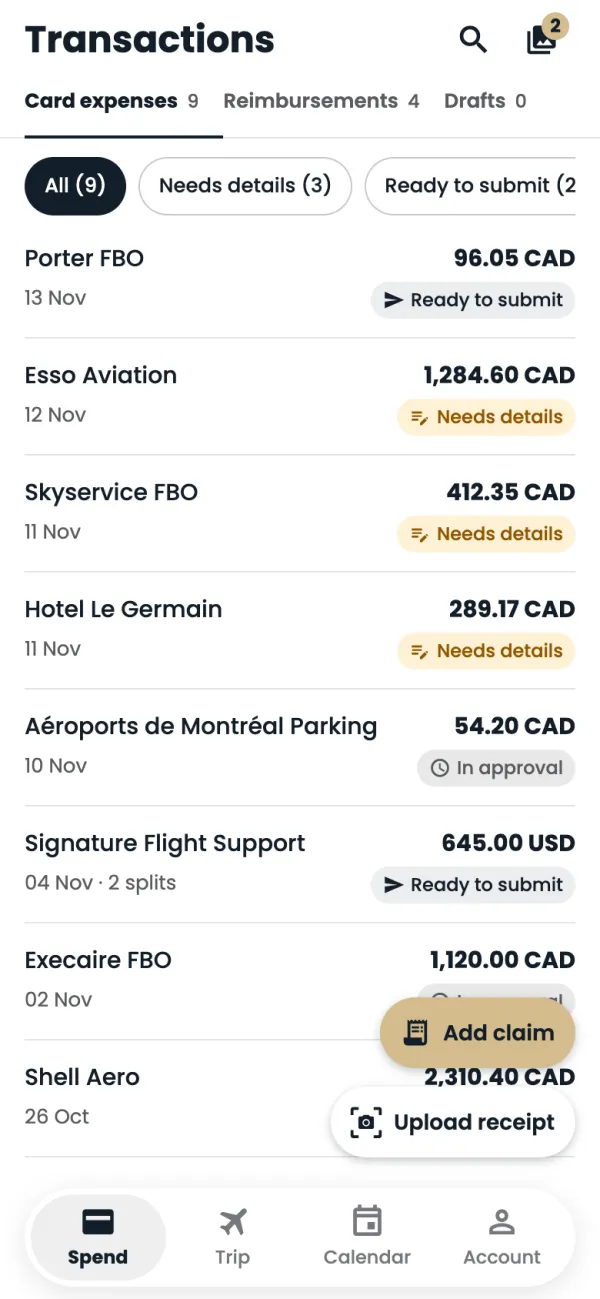
On Spend, tap Add claim.
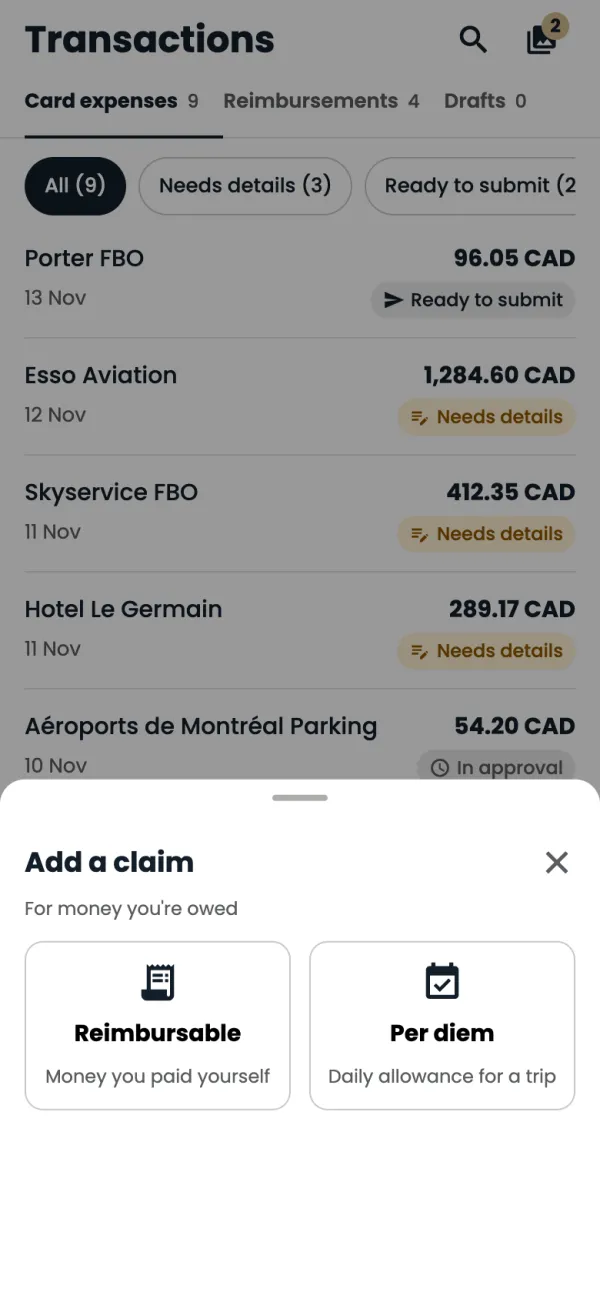
Choose Reimbursable, for money you paid yourself.
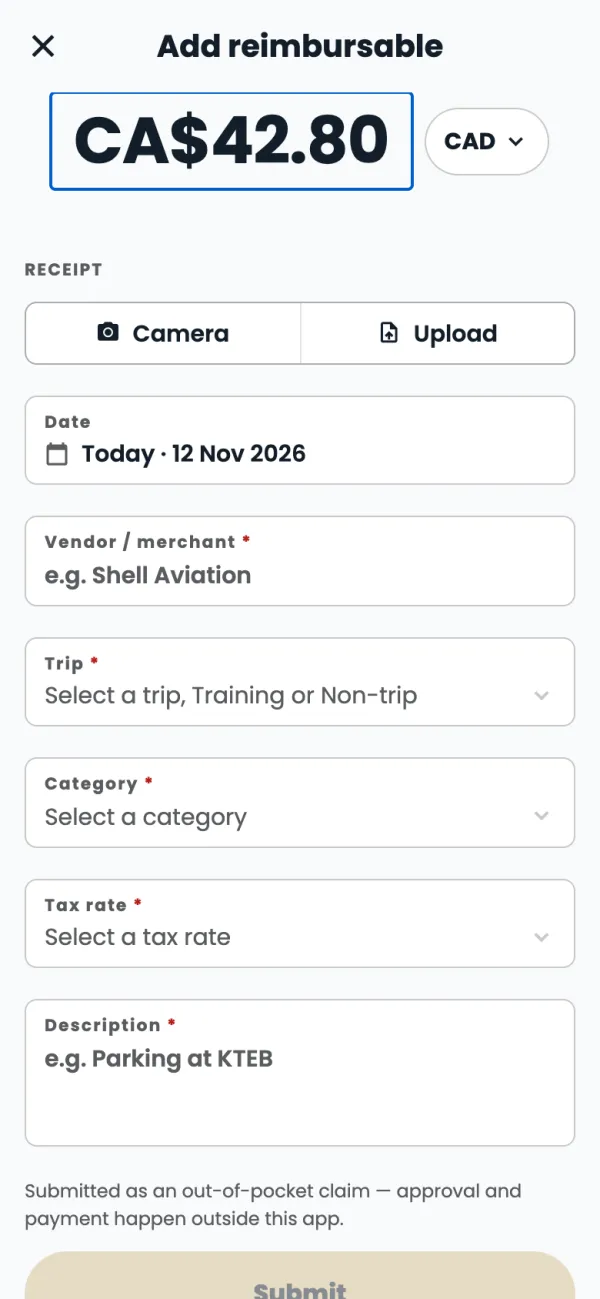
Type the amount. Tap the currency next to it if you paid in another currency.
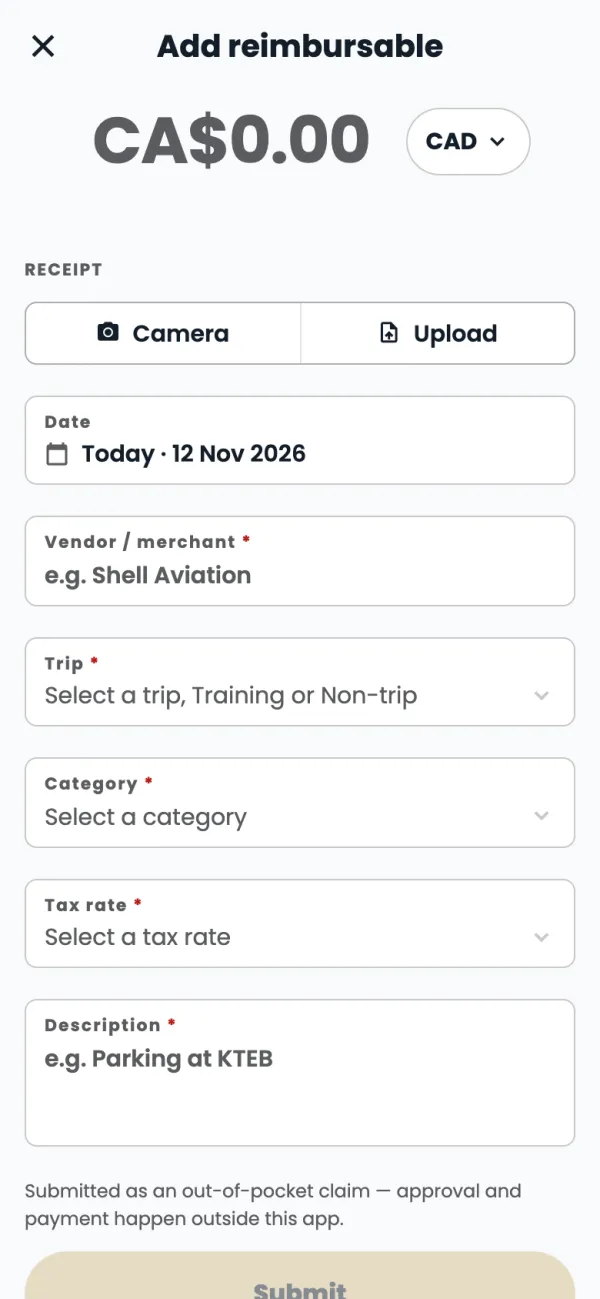
Add the receipt with Camera or Upload, then crop it if you need to.
Fill in Vendor / merchant, then pick the Trip (or Training or Non-trip), the Category and the Tax rate. The Date is today unless you change it.
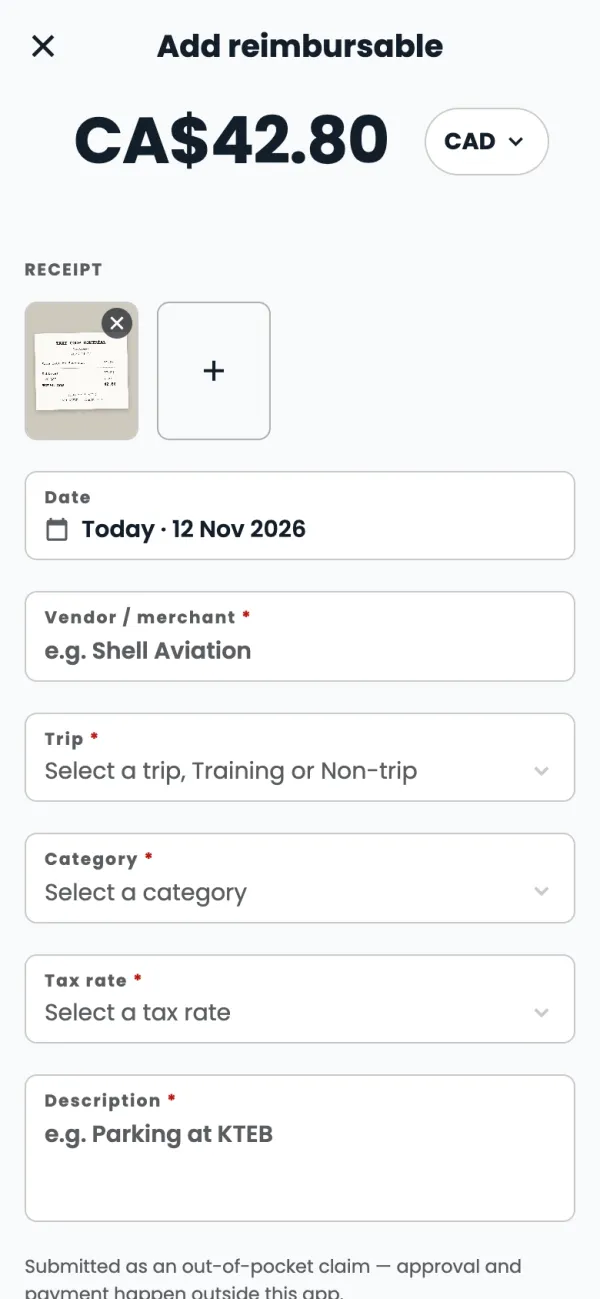
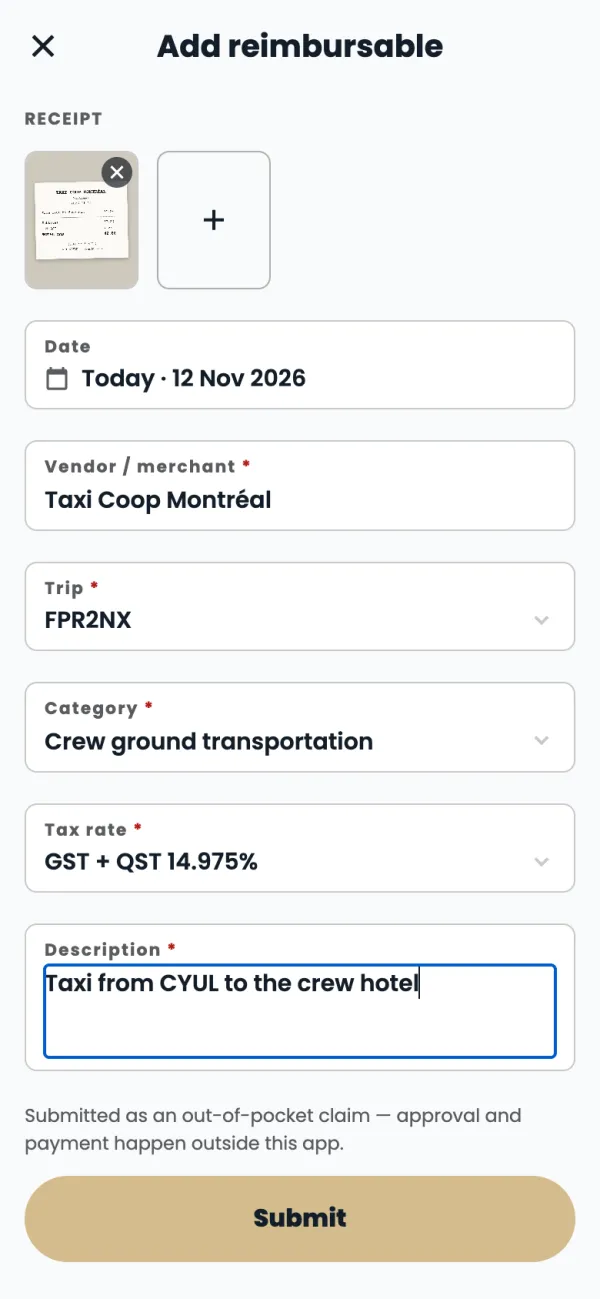
Add a short Description of what it was for.
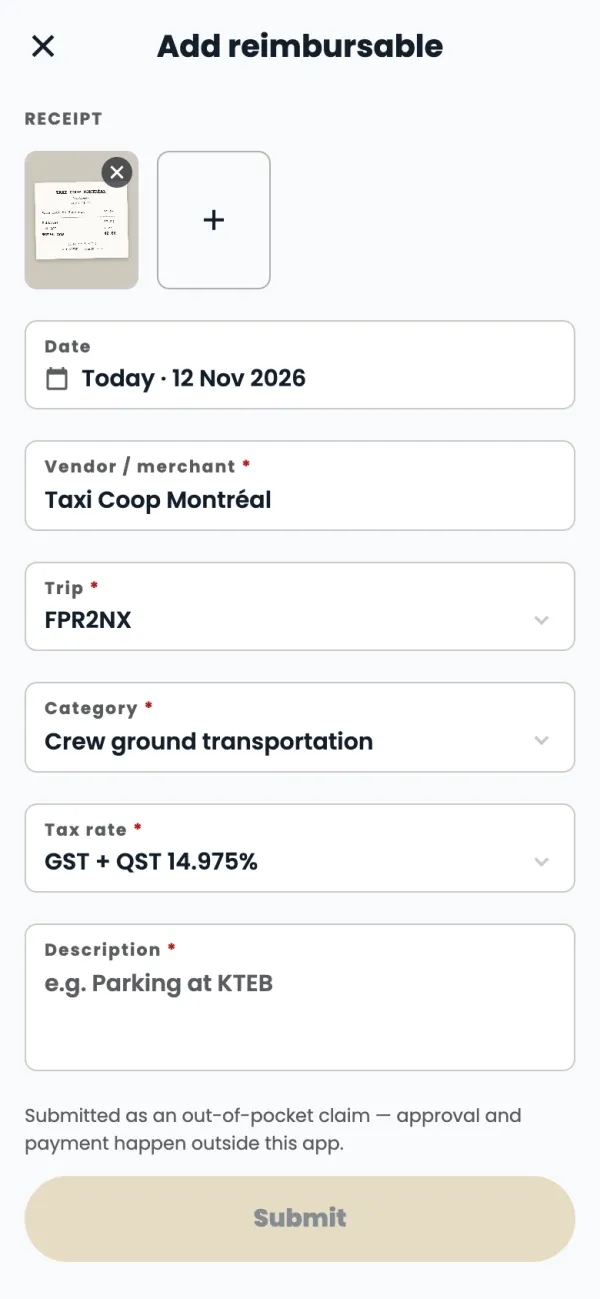
Tap Submit.
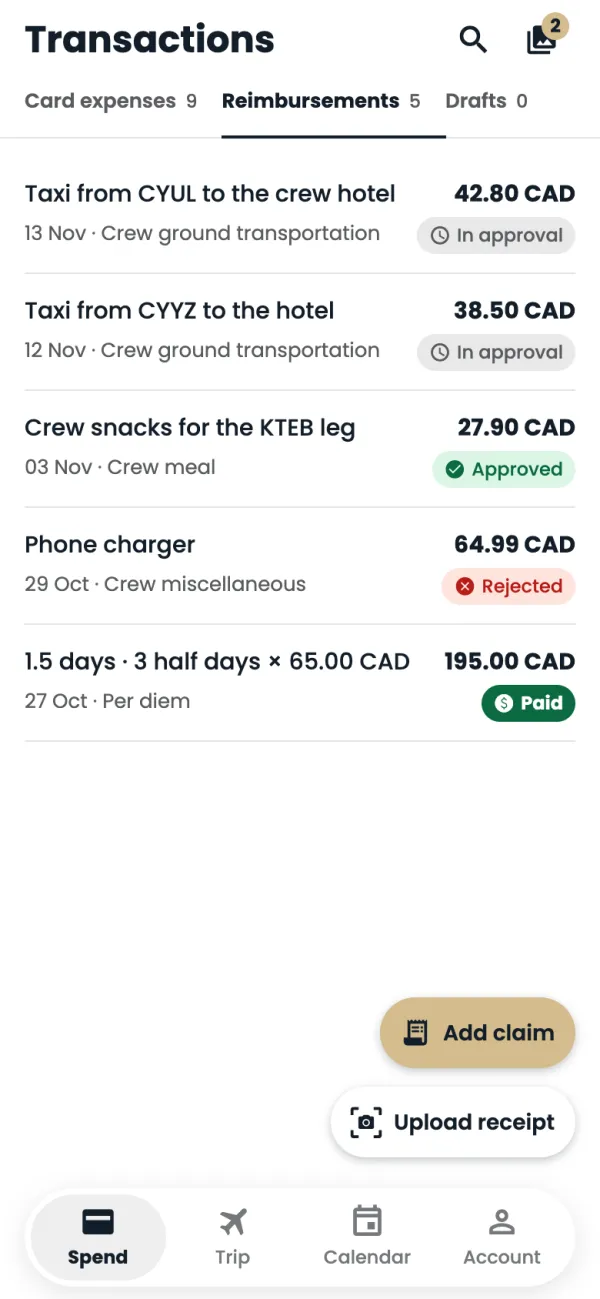
Your claim is under Reimbursements, marked In approval until Finance has looked at it.
Good to know
- A claim goes In approval, then Approved, then Paid. If Finance can't accept it, it shows Rejected.
- Once you tap Submit you can't change a claim. If something was wrong, ask Finance, or file a new claim if it was rejected.
- Close the form before you're done and the app offers to save it. Drafts are kept on this phone only, under Drafts.
Common questions
Can I claim in US dollars or euros?
Yes. Tap the currency next to the amount and pick the one you paid in.
I don't have the receipt with me.
The receipt is optional on a claim, but Finance may ask for it. Save the claim as a draft and add the receipt when you have it.
Still stuck? Email or call Flightpath crew app support: crewapp@flightpathair.com · 1-866-640-9712.